How to update extension
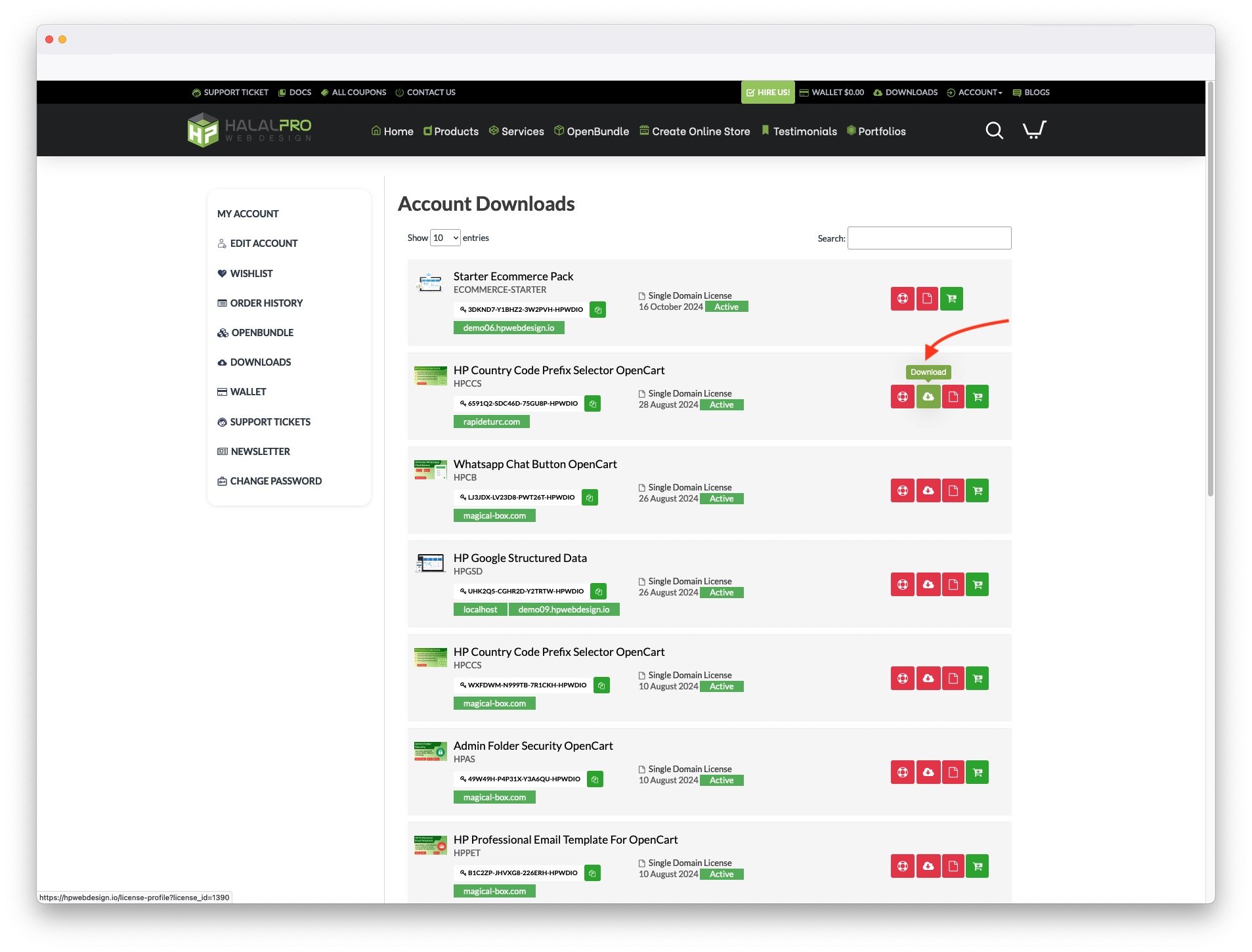
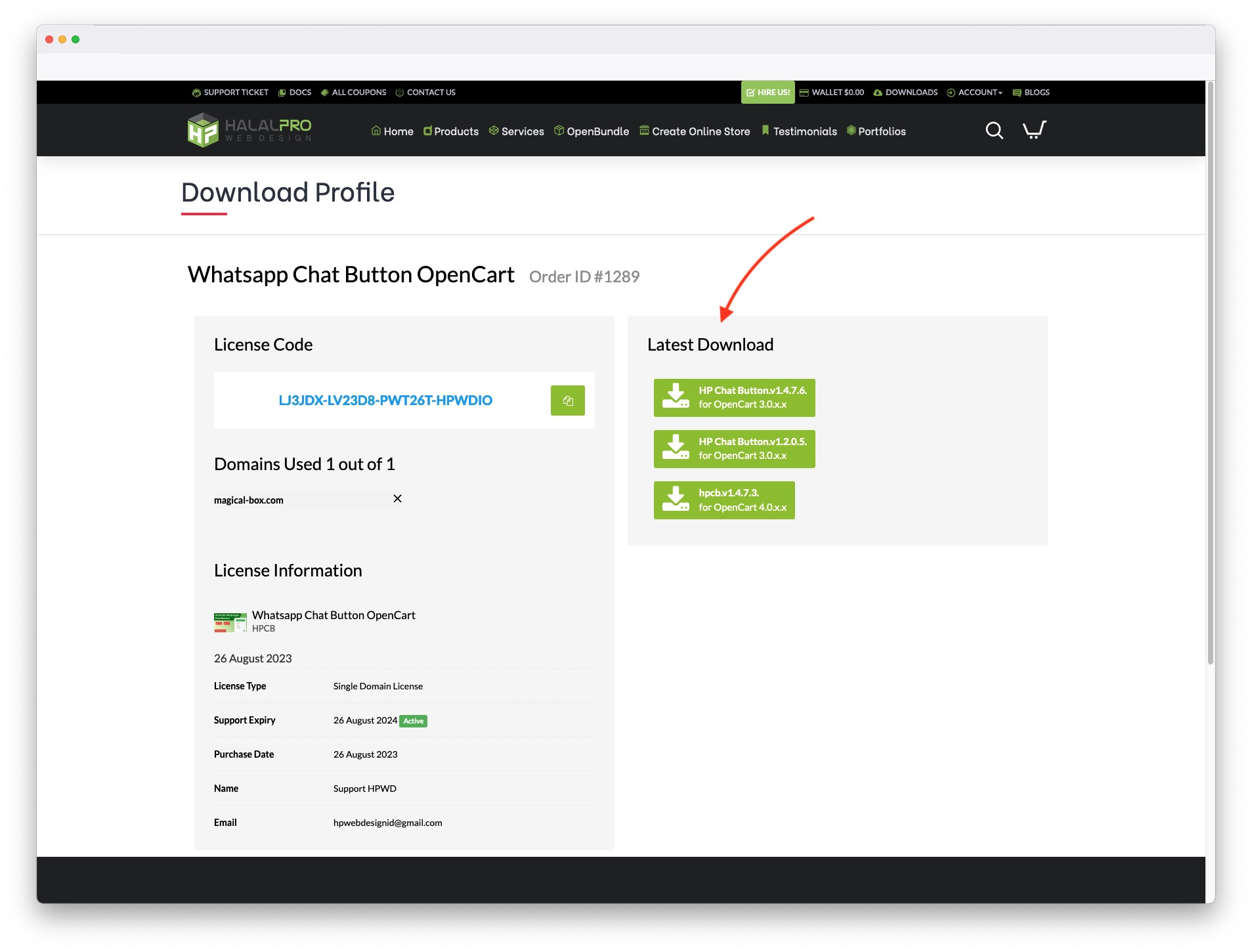
- Download extension latest version
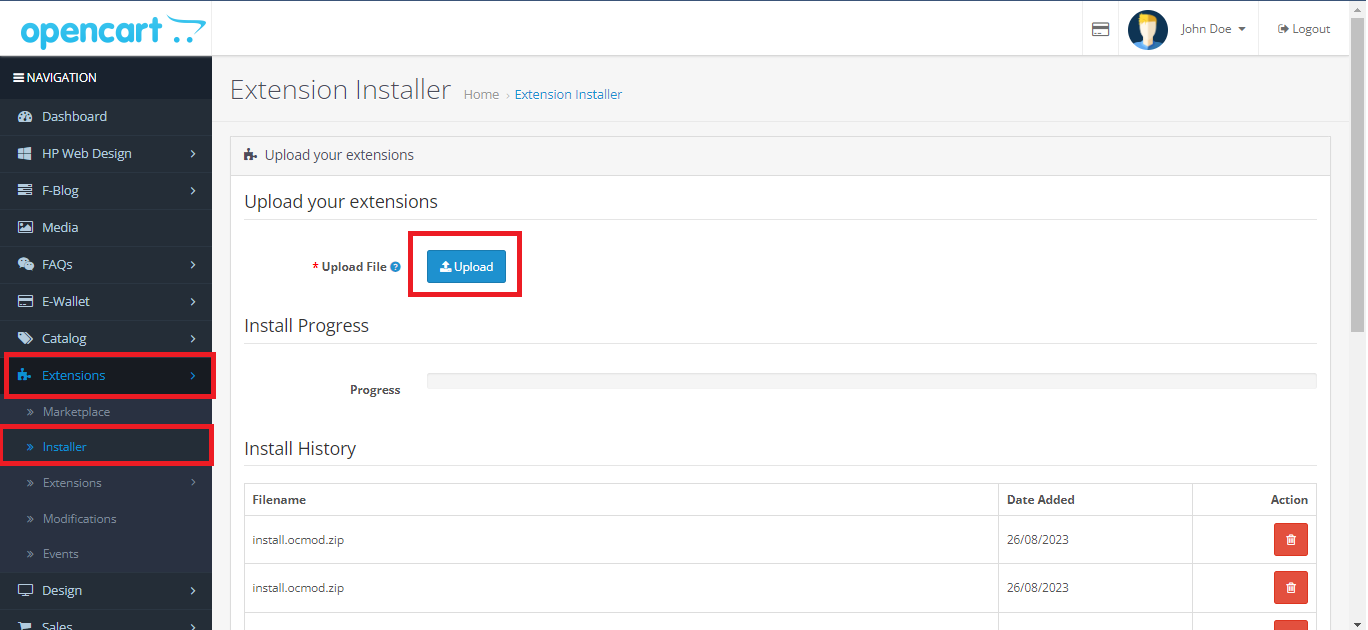
- Extract and upload ...ocmod.zip file on extension install page
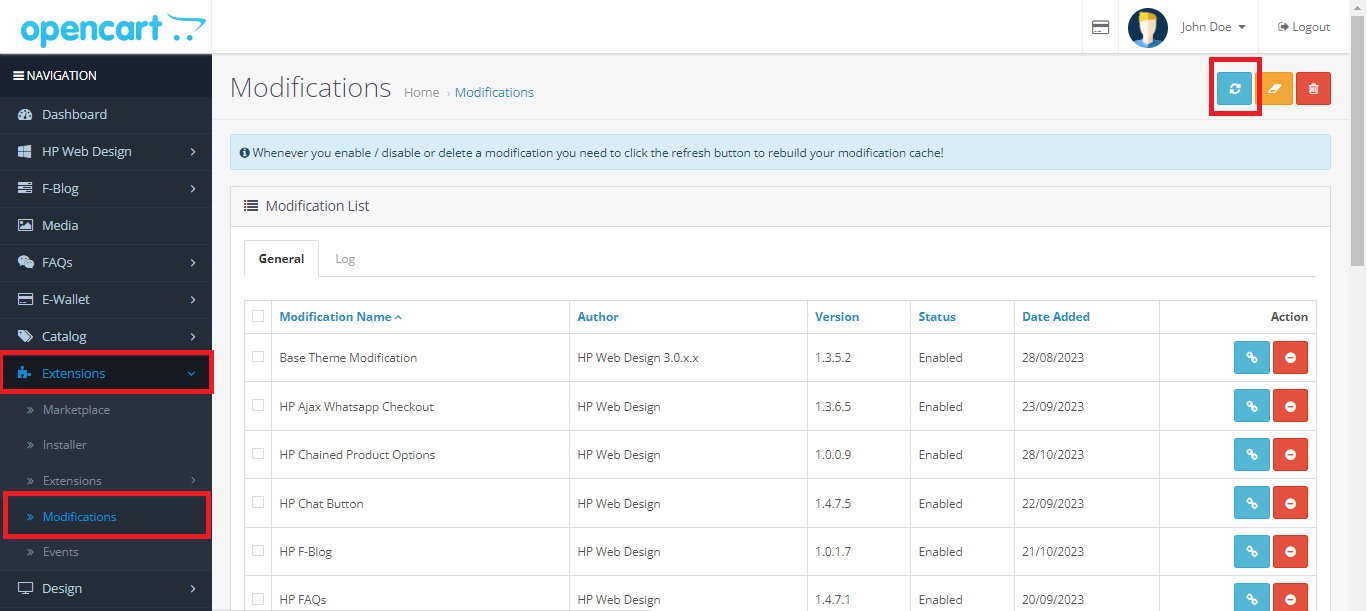
- Refresh Modification on Extension > Modification
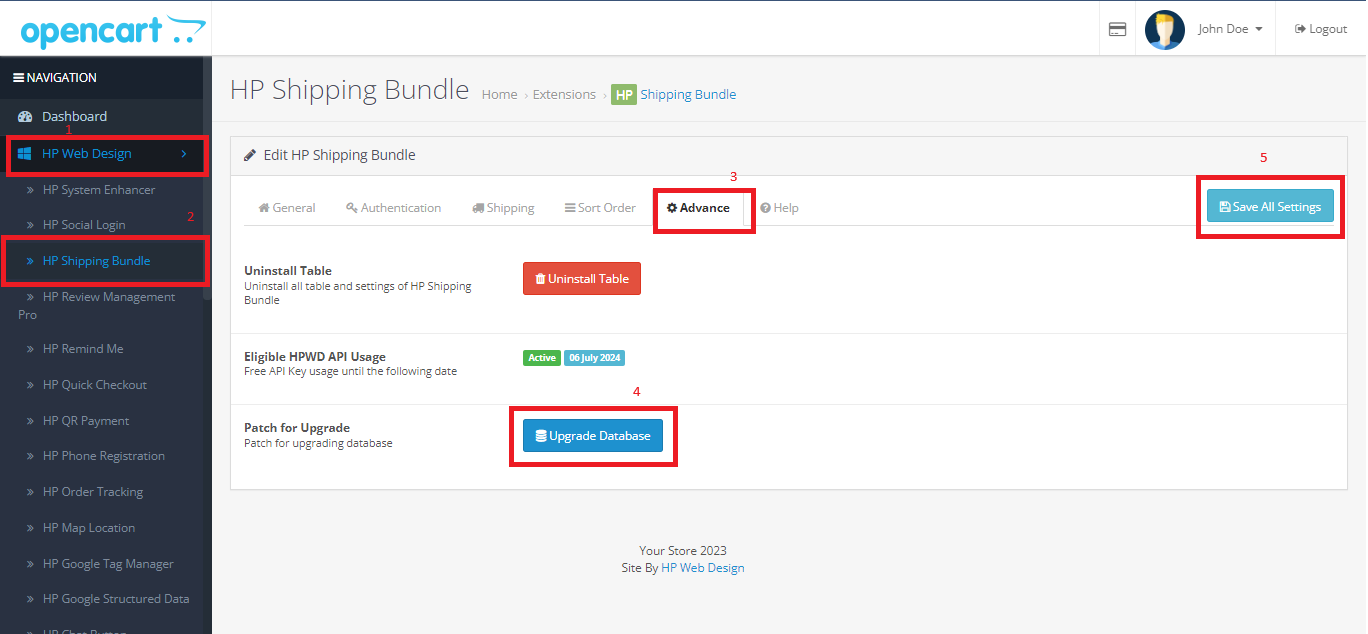
- (If any Upgrade Database button on setting page) Goto page setting extension, click "Advance" tab and click Upgrade Database button